

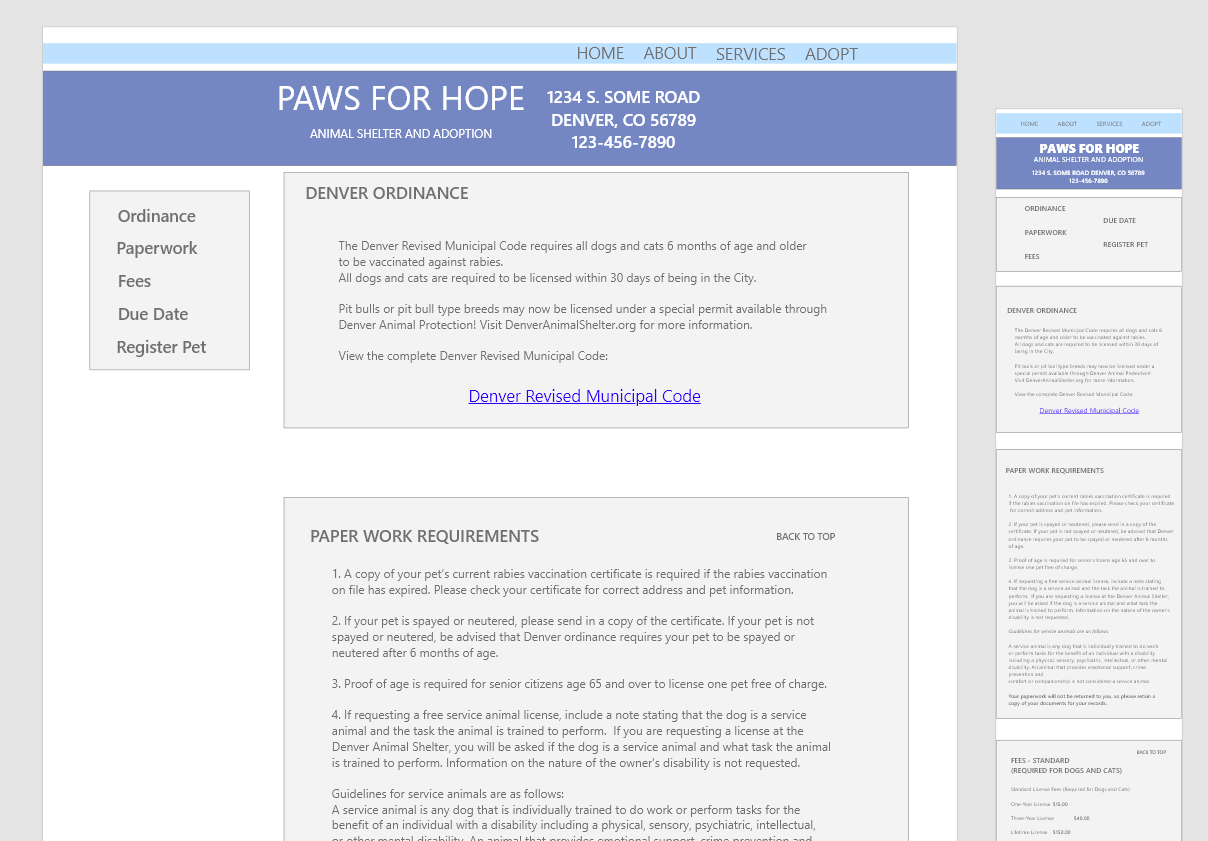
Residents of Denver, Colorado found it frustrating to have to retype their personal information each time they added another pet to their record and research showed several households had many pets. I wanted to make sure they could create an account to add or remove pets from the household, as well as enter their pets chip or tag ID for tracking.
For this responsive website, I wanted to add to the website Paws for Hope already had. They were satisfied with this simple and straight forward website design. So the challenge was to create a few screens to add to it but maintain the continuity of the whole site. However, I also needed to make sure the pet registration section was functional and met the needs of the residents.
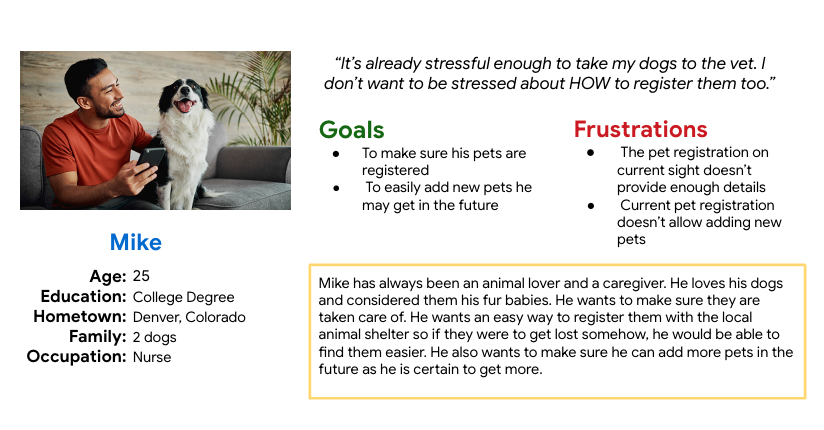
I conducted user research and received feedback that I incorporated into the creation of a user persona that I kept in mind while I was designing. For example, my user persona, Mike, is a 25 year old nurse who owns 2 dogs. The research revealed that Mike, who recently moved to Colorado, needed an easy way to update the registry if he ever wanted to add or remove them later.
"It’s already stressful enough to take my dogs to the vet. I don’t want to be stressed about HOW to register them too." - Mike, Persona
UI Ideation
Here’s how I put Mike's needs first. The process below begins with my initial wireframes, a low-fidelity prototype. Then I move to mockups, and finally to the high-fidelity prototype.
Wireframes
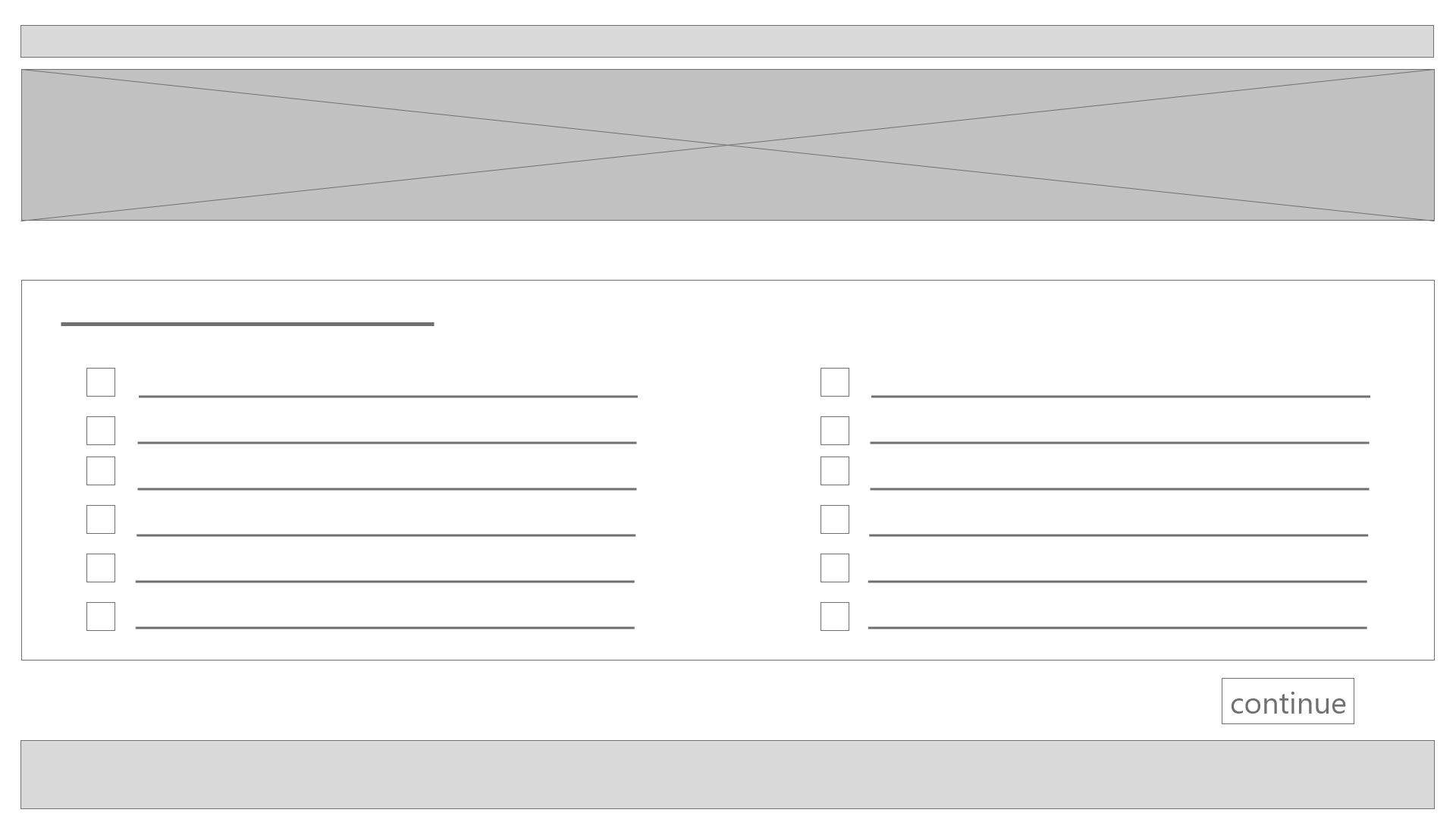
I started with paper wireframes to plan out the form and function of each of the screens the website would have. After this, the paper wireframes were turned into low fidelity digital wireframes and then to a low fidelity prototype to better inform my decisions about how the app and website would look and function on various screen sizes. In this simple version below, the first screen has the ability to register different service needs as well as registering their tag & chip number.
Once this process was complete, I conducted a usability study through Zoom to see how users would feel about their experience with it and what improvements needed to be made. I learned that there were two main pain points for users:
-Users wanted an easier way to add additional pets to their record without having to retype all of their personal information for every pet. We resolved this issue by creating an additional screen to add more pets to their record all at once.
-Users wanted to know what the ordinance for registering their pets was and how much it would cost to do this. I decided to list this information on the first screen and create a link to register pets at the bottom and side of the page.
This made the registering their pets a more enjoyable experience, which helped meet the user’s needs.
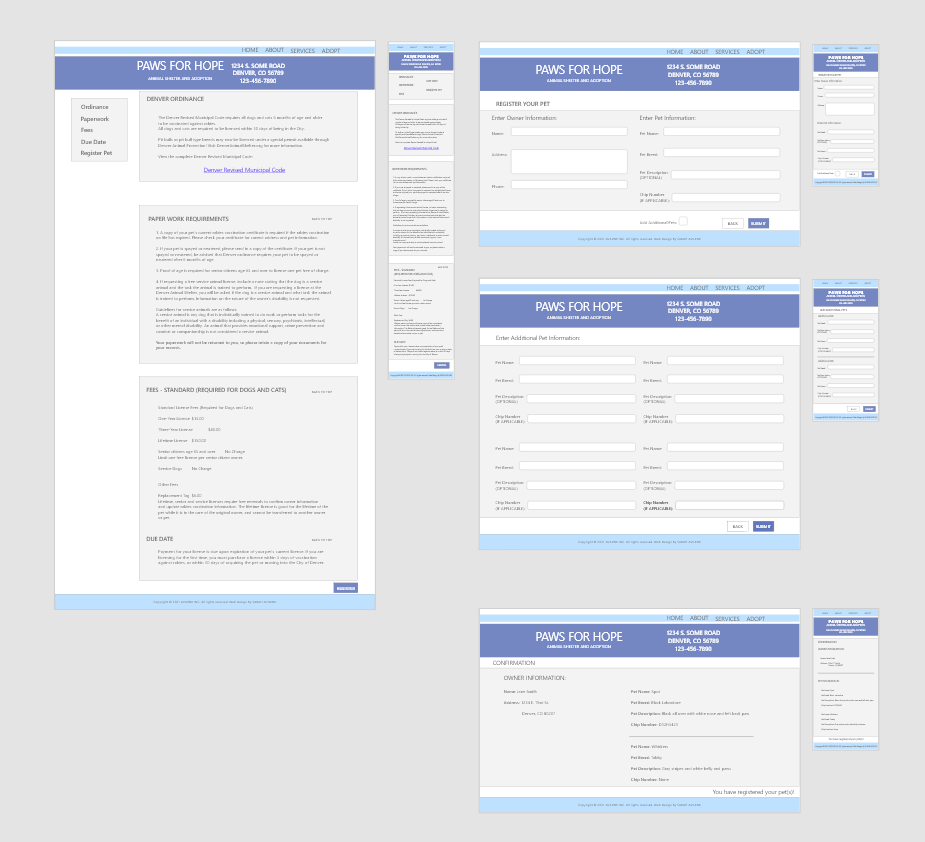
Revised Wireframes After Low Fidelity Prototype and Usability Testing
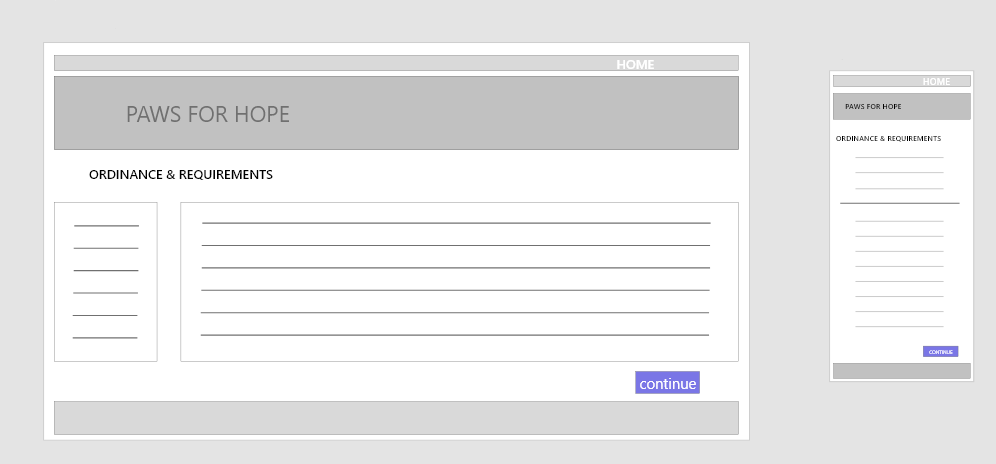
In the revised version, you see the progression of the design based on insights identified from usability test feedback.
I made sure to add the ordinance that was required by the state for registering animals and to cost. I also made the buttons easier to see and use. I conducted another usability study to ensure the issues from the previous study had been addressed and sought out further improvements.
High Fidelity Prototype and Final Design
Below you can see the completed design. It addresses the user's needs for a simple design that functions to easily register (or un-register) their pets.
If you like what you see and want to work together, get in touch!
sarahavilene@gmail.com